AI writing assistant
Write from an idea, improve, shorten, add hashtags, translate to Urdu or English, or rewrite the post for every channel in one click.
 PostLionby RedLionsTech
Plan a month of posts on one calendar, preview how each one looks on every network, let AI tailor the copy, and let PostLion publish on time, reply to comments and repeat your best posts. Even after you close the browser.
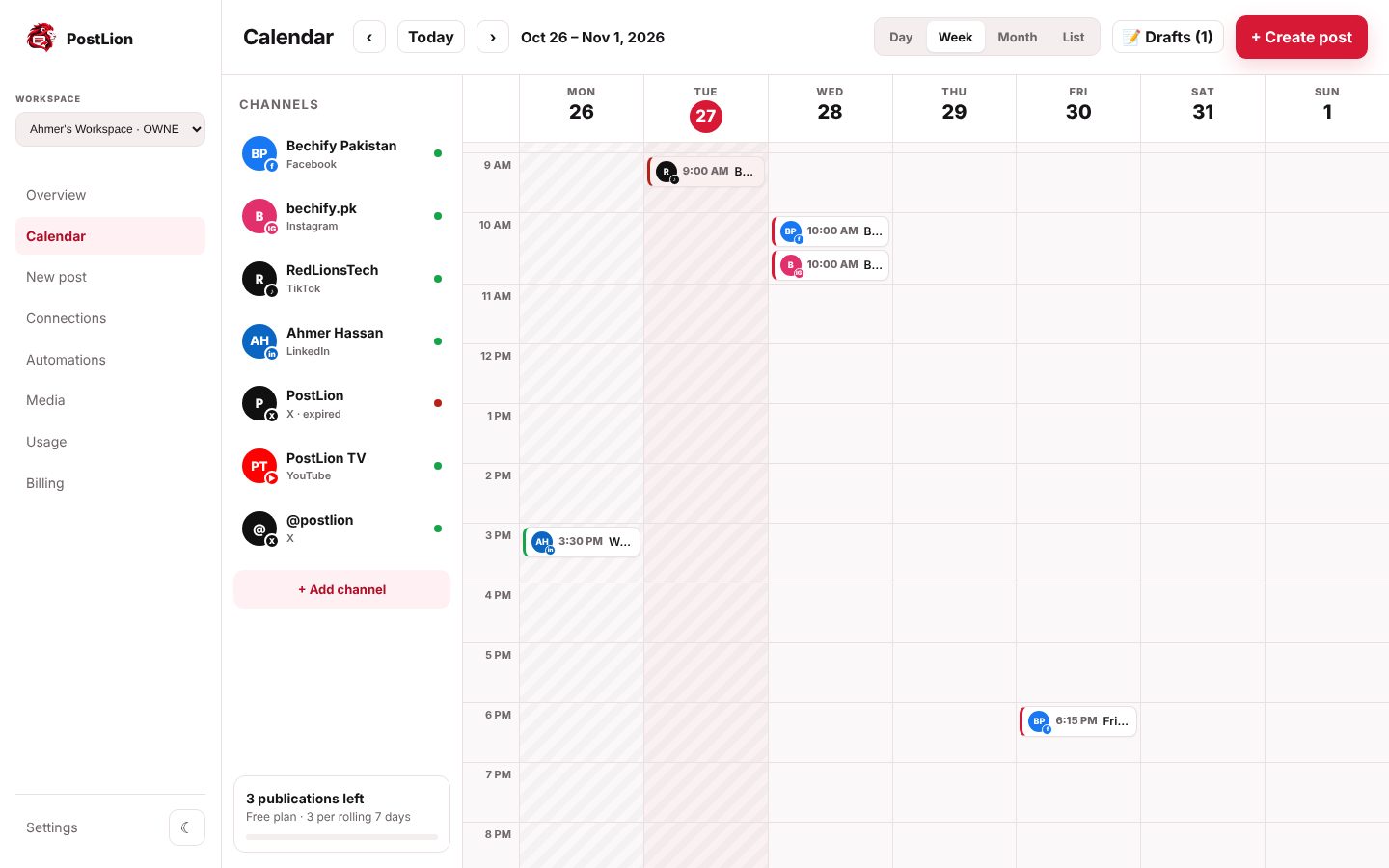
Day, week, month and list views for every channel and teammate. Click a free slot to write a post for that hour, drag to reschedule, and see failures before your audience does.
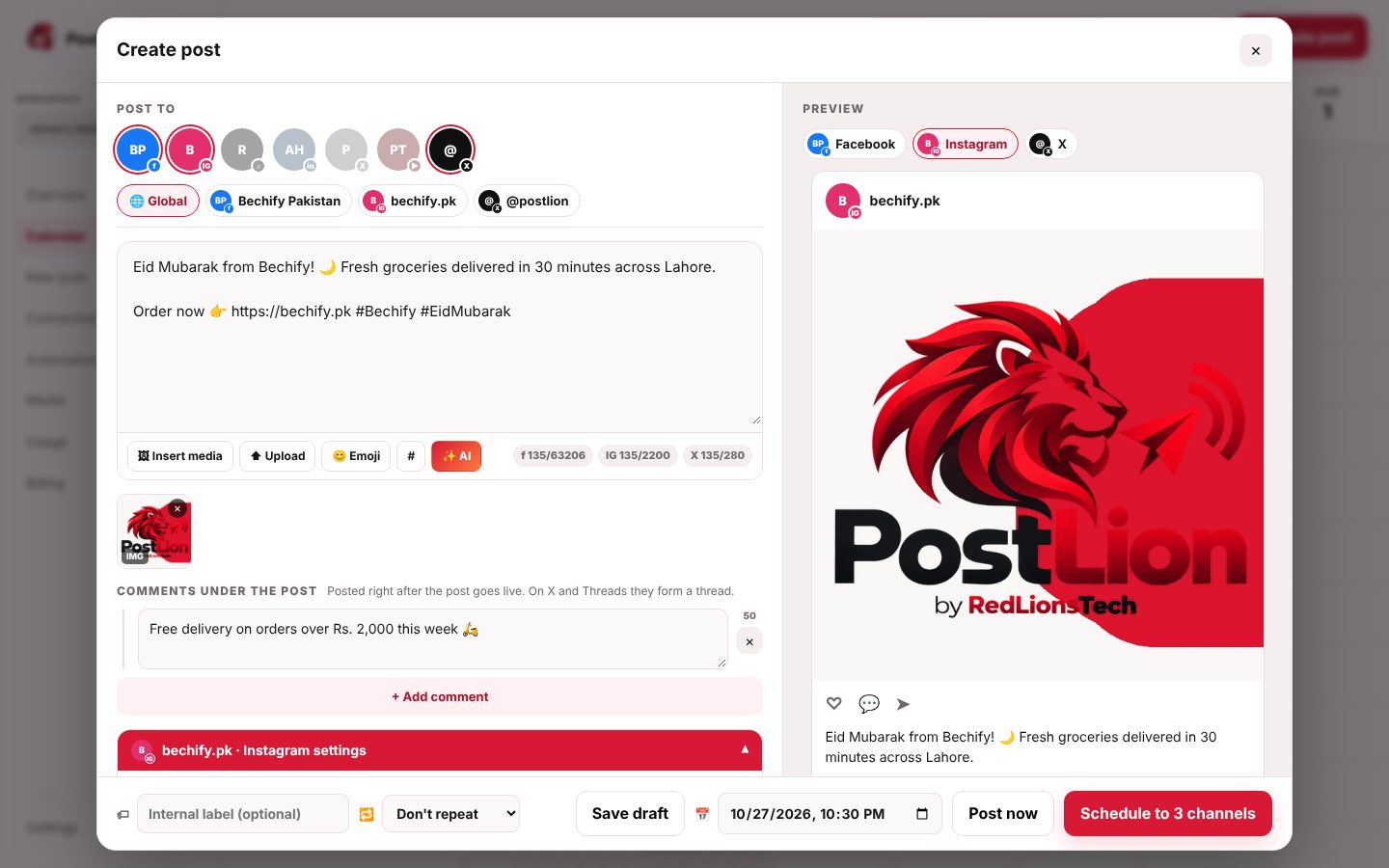
Write from an idea, improve, shorten, add hashtags, translate to Urdu or English, or rewrite the post for every channel in one click.
Answer “price?” and “how do I order?” comments on Facebook, Instagram and Threads automatically, with fixed or AI-written replies.
Weekly deals, daily reminders, monthly roundups. Set them once and PostLion keeps them on the calendar.
Post a thread on X, Threads, Bluesky and Mastodon, or put your link in the first comment where the algorithm prefers it.
Save half-finished ideas and pick them up later, from your browser or from ChatGPT and Claude.
Invite your team, share channels and keep each client's accounts in its own workspace.
Scheduling runs on PostLion's servers with automatic retries. Close your laptop; the post still goes out.
Every network is connected through its official API. Tokens are encrypted and never shared with plugins or teammates.
PostLion's plugins for ChatGPT and Claude can write posts, tailor them for each network, upload images, save drafts, schedule or reschedule, and set up auto-replies. Each step goes through your own PostLion account, with your approval.
Sign in with Facebook, Instagram, TikTok, LinkedIn and more using each network's own approval screen.
Write once, preview every network, tweak each version and drop it on the calendar.
Posts go out on time with retries, first comments and auto-replies, and you get a status for each one.
Free workspaces get one active social account, up to 3 publications per rolling 7 days and 12 per rolling 30 days. Paid plans add more channels, more publications and team members.
No. The free plan has no card and no trial clock. You only pay if you upgrade for more channels, publications or teammates, and you can cancel any time from settings.
PostLion connects through each network's official API and approval screen; we never see your social passwords (Bluesky uses an app password you can revoke). Tokens are encrypted at rest, and ChatGPT and Claude only get access to your PostLion workspace, never to the raw social tokens.
A channel is one account you publish to: a Facebook Page, an Instagram account, a TikTok profile, a Telegram channel and so on. Posting one post to three channels uses three publications.
Facebook, Instagram, Threads, X, LinkedIn, TikTok, YouTube, Pinterest, Bluesky, Mastodon, Telegram, Discord. More networks appear here as soon as each one approves PostLion.
Yes. Scheduled posts are published by PostLion's servers, with automatic retries if a network has a hiccup.
On paid plans you can invite people to your workspace to plan and publish together using the workspace's connected channels. Only owners and admins can connect or disconnect accounts.
Disconnect your channels from Connections and contact us from the Support page; your workspace, posts and media are deleted.